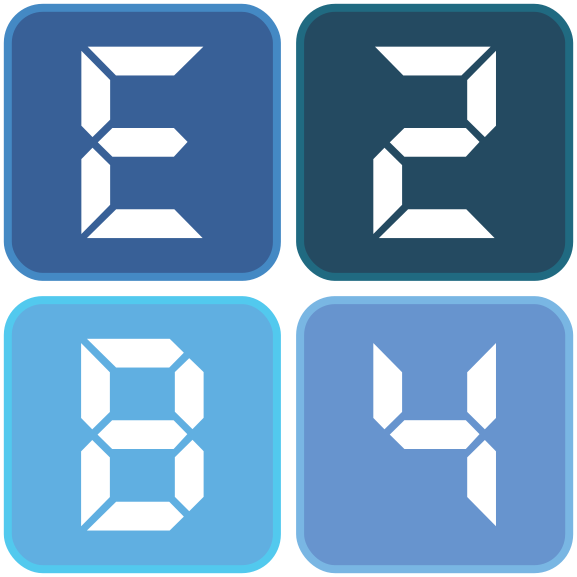
E2B4 Brand Sheet
All-blue, logo-true · Inter throughout
Palette locked June 13, 2026 · usage rules, contrast, and logo variants added June 18, 2026 · DOCX/PDF font-production rules added June 26, 2026 · justified-paragraph rule and LEGAL-document exception added July 7, 2026
1 · Core palette
Palette is canonical (palette-true). The full-color logo is recolored to these exact hexes.
2 · Color usage and accessibility
Each color has one job. Contrast governs legibility: WCAG AA requires 4.5:1 for body text and 3:1 for large text (≥18pt, or ≥14pt bold) and graphical elements.
| Color | Hex | Role | On white | Text use |
|---|---|---|---|---|
| Ink | #1F2A37 | Default body text | 14.5:1 | Body + any size |
| Navy | #164861 | Headings, primary brand | 9.8:1 | Body + any size |
| Slate | #4A5568 | Captions, muted text | 7.6:1 | Body + any size |
| Steel Blue | #285F98 | Subheads, links, accents | 6.6:1 | Body + any size |
| Cornflower | #5594D7 | Accent, chart fills | 3.2:1 | Large text only |
| Sky Blue | #2CB0EE | Accent, highlights, chart fills | 2.5:1 | Never text on white |
| Mist | #F0F4F9 | Backgrounds, table fills | — | Fill only |
| White | #FFFFFF | Page, reversed text | — | Reversed on Navy/Steel |
Rules
- Body is Ink · headings Navy · subheads and links Steel Blue · captions/muted Slate.
- Sky Blue and Cornflower are accent-and-fill only — bars, rules, highlights, key-figure callouts. Never body copy on white.
- Reversed type (white on color) only on Navy or Steel Blue.
- One primary brand color: Navy. Sky Blue is the single highlight accent.
Approved tints (layering and chart steps only — not text)
#164861
#285F98
#5594D7
#2CB0EE
#9DC2EC
#CADEF4
#F0F4F9
3 · Type scale — Inter
Type rules
- Heading color: Title and H1 Navy; H2 Steel Blue.
- Links: Steel Blue, underlined; visited links keep the same color.
- Emphasis via Inter 600/700; italics for titles and defined terms only.
- Measure 65–80 characters; tabular figures in tables.
- Always justify body paragraphs (flush left and right); never letter-space body copy. LEGAL documents are exempt — see §10.
4 · Layout rules
- Line spacing 1.15; 6 pt space after paragraphs.
- Body justified (flush left and right). Exception: LEGAL documents — see §10.
- Margins 1 inch (2.54 cm) all sides.
- Sans-serif only. Embed or web-load Inter; approved fallback stack
Inter, Arial, Helvetica, Aptos, system-ui, sans-serif. See §10 for DOCX/PDF production.
Document structure (call docs)
- Title block: Title (Navy 24) + descriptor (Slate 11) + date (Slate 9) on page 1.
- Header (p.2+): document title left, "E2B4 Corp." right, Slate 9pt, 0.5pt rule below.
- Callout / key figure: Mist panel, 4px Steel Blue left border, figure in Navy 15pt.
5 · Required confidentiality footer
Every call document and distributed deliverable carries this footer on every page.
- Style: Inter 400, 9pt, Slate (
#4A5568), left-aligned. - Page number: right-aligned, same size and color,
Page X of Y. - Placement: inside the 1-inch bottom margin, above a 0.5pt Mist rule.
6 · Numbers, units, and terminology
| Item | Standard | Example |
|---|---|---|
| Power / capacity | Numeral + non-breaking space + abbreviated unit | 4,100 MW |
| First mention of a unit | Spell once for non-technical readers, then abbreviate | megawatts (MW) → MW |
| Thousands separator | Comma | 4,100 |
| Currency | Symbol + figure, no space; abbreviate scale | $12.6B, $1M |
| Dates | Month spelled, day, year | September 30, 2026 |
| Ranges | En dash, no spaces | 1–13 |
| Percent | Numeral + % | 20% |
Names and voice
- Project: "Roswell Information Park" on first mention; "RIP" thereafter in internal docs only — spell out externally.
- Entity: "Chaves Power One LLC" — full legal name in any contract, note, or signature block.
- People: first names in call scripts and briefings; full name and role on first formal mention.
- Voice: full sentences, no contractions, no abbreviated phrases ("I am," not "I'm"). Plain English, principal voice.
7 · Tables and data visualization
Tables
- Header row: Navy fill, white 600 text.
- Body rows: 1px
#E2E8F0bottom rule; Mist zebra on even rows. - Numbers right-aligned, tabular figures, units in the column header not each cell.
Chart color sequence (use in this order)
- Gridlines/axes:
#E2E8F0, 0.5pt. Axis labels: Slate 9pt. - Data labels: Ink; place outside bars, never reversed on a light fill.
- Single-series charts use Navy; add colors only as series are added, in order.
- Do not rely on color alone to distinguish series — add labels or patterns.
8 · Logo


Logo rules
- Files:
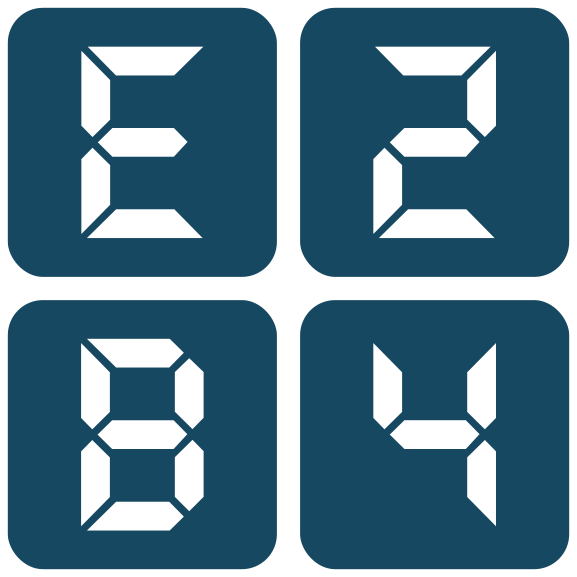
e2b4-logo.svg(primary),e2b4-logo-reversed.svg,e2b4-logo-mono-navy.svg,e2b4-favicon.svg. - Clear space: margin equal to one tile-glyph height on all sides. Minimum size: 24px screen / 0.3 inch print.
- Backgrounds: full color on white or Mist; reversed on Navy or Steel Blue only.
- Don'ts: do not recolor, stretch, rotate, add effects, or place on a busy photo or on Sky/Cornflower.
9 · Iconography and site-plan key
One line-icon system across decks, one-pagers, and campus diagrams. Consistency reads as a single brand; mixed icon styles do not.
Icon style
- Style: single-weight line icons —
2pxstroke on a24×24grid, round caps and joins, no fills (small accent dots excepted). - Color: Navy (
#164861) by default; Steel Blue when an icon sits on a Mist panel. White when reversed on Navy/Steel. - Size: 16, 24, or 32px — scale by whole steps, never stretch. Keep the 2px stroke visually constant.
- Do not: mix filled and line icons, add shadows or gradients, or recolor to Sky/Cornflower (accent-only).
Source files in /icons/ — generation, plant, ai-compute, data-center, bess, microgrid, transmission, cooling, ems-control, location (SVG).
Map / site-plan color key
Every campus diagram uses these fixed assignments so a zone reads the same color in every document.
| Zone / element | Color | Hex | Render |
|---|---|---|---|
| Firm generation (combined-cycle) | Navy | #164861 | Zone fill |
| AI / data-center load | Steel Blue | #285F98 | Zone fill |
| Battery storage (BESS) | Sky Blue | #2CB0EE | Zone fill |
| Geothermal cooling | Cornflower | #5594D7 | Zone fill |
| Water / retention | Tint 25 | #CADEF4 | Zone fill |
| Land / undeveloped parcel | Mist + Slate edge | #F0F4F9 | Fill + 1pt outline |
| Campus boundary | Navy | #164861 | 2.5pt solid line |
| Microgrid (islandable) boundary | Ink | #1F2A37 | 2pt dashed line |
| Transmission / interconnect | Slate | #4A5568 | 2pt solid line |
| Roads / access | Slate | #4A5568 | 1pt solid line |
Sample site plan (schematic)
Schematic only — relative zones, not to scale. Dashed Ink line = islandable microgrid boundary; Slate tick at right = transmission interconnect.
10 · Document production rules for DOCX and PDF
Typeface policy
- Sans-serif only (standard documents). The E2B4 typography system is sans-serif for all standard documents. Serif fonts are prohibited in standard documents unless expressly approved in writing for a special purpose. LEGAL documents are exempt — see the classification note above.
- Preferred face: Inter. Web & PDF: Inter must be embedded or loaded as a web font. Word DOCX: the production-safe default is Arial unless Inter is actually embedded and verified.
- Approved fallback stack:
Inter, Arial, Helvetica, Aptos, system-ui, sans-serif. - Prohibited (serif) fonts: Cambria, Times New Roman, Georgia, Garamond, Baskerville, Book Antiqua, Palatino, and any default Word serif theme font.
Set the font in every location — not just visible paragraphs
Applying this brand guide to a Word document means setting the approved sans-serif family in every relevant place:
- The Normal style and all heading styles.
- Table styles, caption styles, footnote styles, list styles.
- Header, footer, and page-number styles.
- Any direct, run-level formatting.
- The internal Word theme fonts — override both the major (heading) and minor (body) theme fonts so they are sans-serif.
No generated DOCX may retain Cambria, Times New Roman, or any other serif fallback in styles, theme XML, font tables, headers, footers, tables, or document defaults.
Implementation — AI document generators
When creating a DOCX:
- Set the default document font to Arial (or embedded, verified Inter).
- Set all Word styles to the same approved sans-serif family.
- Set all table text to the approved sans-serif family.
- Set all headers, footers, captions, footnotes, and page numbers to the approved sans-serif family.
- Update the DOCX theme font definitions (
theme1.xmlmajor + minor) so Word cannot silently substitute Cambria or another serif font.
When creating a PDF:
- Embed Inter where possible; otherwise use Arial or Helvetica.
- Verify the final PDF contains only approved sans-serif fonts.
Validation — font audit required
A standard document may not be described as "E2B4-branded" unless it passes a font audit confirming no serif font appears. LEGAL documents are exempt from this audit and are set to their own legal-drafting standard.
- DOCX: inspect styles, theme fonts, document defaults, headers, footers, tables, and run-level formatting.
- PDF: inspect embedded or referenced fonts.
- If any serif font remains in a standard document, it fails brand compliance and must be corrected before delivery. (LEGAL documents are exempt.)
Brand-compliant templates — start here
Do not rebuild styles from scratch. Start every Word document from the canonical template below: it has the sans-serif standard baked into its styles, document defaults, and the Word theme (major + minor fonts), so Cambria cannot be silently inherited.
11 · Open items
- Photography / imagery direction.
- Asset appendix: file formats, naming, PDF font-embedding, master location.
- Templates: letterhead, one-pager, slide master, email signature.
E2B4 Corp. Confidential Commercial Information. Unauthorized Distribution Prohibited.